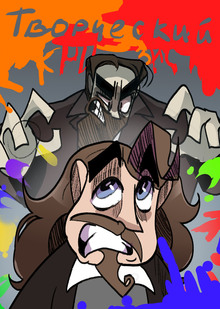
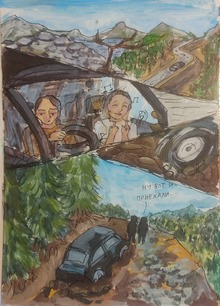
В игре «Альфа Галерея» игрок окунается в мир искусства и рисования. Игрок знакомится с героем, который мечтает о собственной картинной галерее, картины в которой появляются благодаря усилиям играющего. Картины можно получить двумя способами: первый — собирать части, играя в мини-игры, которые появляются каждые 5 часов, второй — ежедневно заходить в игру и получать награды. Помимо кусочков картин игрок получает новую информацию об искусстве, проходя мини-игры. Кроме того, среди всех участников игры разыгрывается денежная сумма. Чтобы повысить шанс на победу, нужно как можно больше закрасить картин.
HSE Animation is a platform where animation projects become visible to studios, production companies, media, partners, and audiences.
It brings together animators’ portfolios, educational programs, specialized contests, and key events from the professional community.
The platform was created in partnership with HSE Art and Design School and is developing a... Show more
best of the best
news and interviews
author's animation
for children
applied animation
information video
playlist
Press space bar to start a drag.
When dragging you can use the arrow keys to move the item around and escape to cancel.
Some screen readers may require you to be in focus mode or to use your pass through key
Press space bar to start a drag.
When dragging you can use the arrow keys to move the item around and escape to cancel.
Some screen readers may require you to be in focus mode or to use your pass through key
Press space bar to start a drag.
When dragging you can use the arrow keys to move the item around and escape to cancel.
Some screen readers may require you to be in focus mode or to use your pass through key
Press space bar to start a drag.
When dragging you can use the arrow keys to move the item around and escape to cancel.
Some screen readers may require you to be in focus mode or to use your pass through key
Press space bar to start a drag.
When dragging you can use the arrow keys to move the item around and escape to cancel.
Some screen readers may require you to be in focus mode or to use your pass through key
Press space bar to start a drag.
When dragging you can use the arrow keys to move the item around and escape to cancel.
Some screen readers may require you to be in focus mode or to use your pass through key
Press space bar to start a drag.
When dragging you can use the arrow keys to move the item around and escape to cancel.
Some screen readers may require you to be in focus mode or to use your pass through key
Press space bar to start a drag.
When dragging you can use the arrow keys to move the item around and escape to cancel.
Some screen readers may require you to be in focus mode or to use your pass through key
Press space bar to start a drag.
When dragging you can use the arrow keys to move the item around and escape to cancel.
Some screen readers may require you to be in focus mode or to use your pass through key
Press space bar to start a drag.
When dragging you can use the arrow keys to move the item around and escape to cancel.
Some screen readers may require you to be in focus mode or to use your pass through key