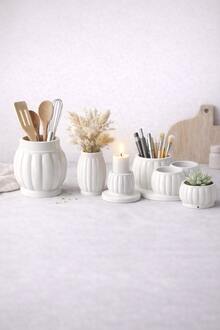
As part of a course on creating physical objects using AI, I developed a series of interior compositions designed as various potted plants. What distinguishes these from regular flora is that the statuettes are decorated to resemble metal and precious stones, and their bases are 3D-printed. This collection promotes the idea of beautiful, low-maintenance indoor plants that will perpetually delight their owners.
For concept development, I utilized the Midjourney neural network. To generate aesthetically pleasing renders, I used the prompt «a simple cartoony 3d model of a berry branch in a vase, made of precious stones,» substituting «berry branch» with cactus, lotus flower, and other plants from the series.
Next, to prepare for production, I uploaded the resulting sketches to the Hunyuan neural network, which quickly generated high-quality 3D models for me. Although they already looked perfect in terms of mapping visually, I ran each model through the Anycubic Photon Workshop slicer to eliminate any risk of mesh errors. No errors were found.
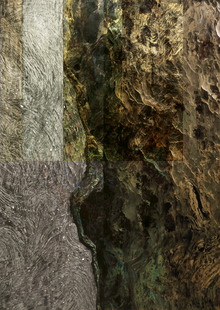
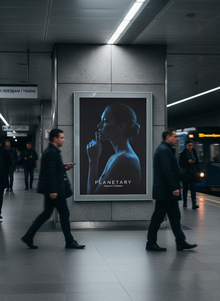
Мария Хохлова создала коллекцию носимых арт-объектов Planetary, вдохновлённых геологией и атмосферой планет Солнечной системы. Проект использует текстурную 3D-печать и смешивание материалов для точной передачи уникальных характеристик каждой планеты.
hseanimation
HSE Animation is a platform where animation projects become visible to studios, production companies, media, partners, and audiences.
It brings together animators’ portfolios, educational programs, specialized contests, and key events from the professional community.
The platform was created in partnership with HSE Art and Design School and is developing a... Show more
best of the best
news and interviews
author's animation
for children
applied animation
information video
playlist
Press space bar to start a drag.
When dragging you can use the arrow keys to move the item around and escape to cancel.
Some screen readers may require you to be in focus mode or to use your pass through key
Press space bar to start a drag.
When dragging you can use the arrow keys to move the item around and escape to cancel.
Some screen readers may require you to be in focus mode or to use your pass through key
Press space bar to start a drag.
When dragging you can use the arrow keys to move the item around and escape to cancel.
Some screen readers may require you to be in focus mode or to use your pass through key
Press space bar to start a drag.
When dragging you can use the arrow keys to move the item around and escape to cancel.
Some screen readers may require you to be in focus mode or to use your pass through key
Press space bar to start a drag.
When dragging you can use the arrow keys to move the item around and escape to cancel.
Some screen readers may require you to be in focus mode or to use your pass through key
Press space bar to start a drag.
When dragging you can use the arrow keys to move the item around and escape to cancel.
Some screen readers may require you to be in focus mode or to use your pass through key
Press space bar to start a drag.
When dragging you can use the arrow keys to move the item around and escape to cancel.
Some screen readers may require you to be in focus mode or to use your pass through key
Press space bar to start a drag.
When dragging you can use the arrow keys to move the item around and escape to cancel.
Some screen readers may require you to be in focus mode or to use your pass through key
Press space bar to start a drag.
When dragging you can use the arrow keys to move the item around and escape to cancel.
Some screen readers may require you to be in focus mode or to use your pass through key
Press space bar to start a drag.
When dragging you can use the arrow keys to move the item around and escape to cancel.
Some screen readers may require you to be in focus mode or to use your pass through key